The metronome that listens.
Timing Trainer detects every note and stroke you play through the microphone and shows you in real time whether you’re early, right on the beat or late. Your timing becomes visible – and gets more precise step by step.

Try it for free · Full version as a one-time purchase, no subscription
Play. See. Improve.
A regular metronome only sets the beat. Timing Trainer listens to you and shows how close you are to the click.
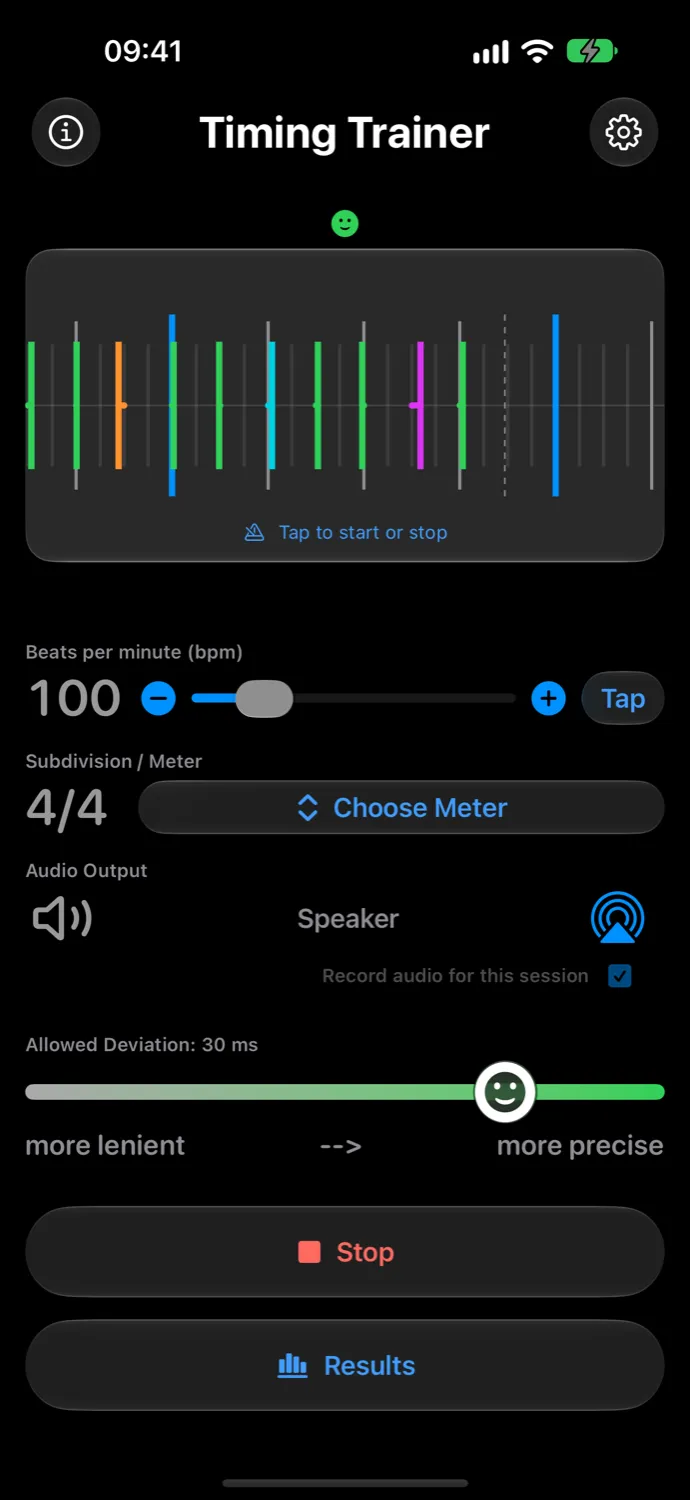
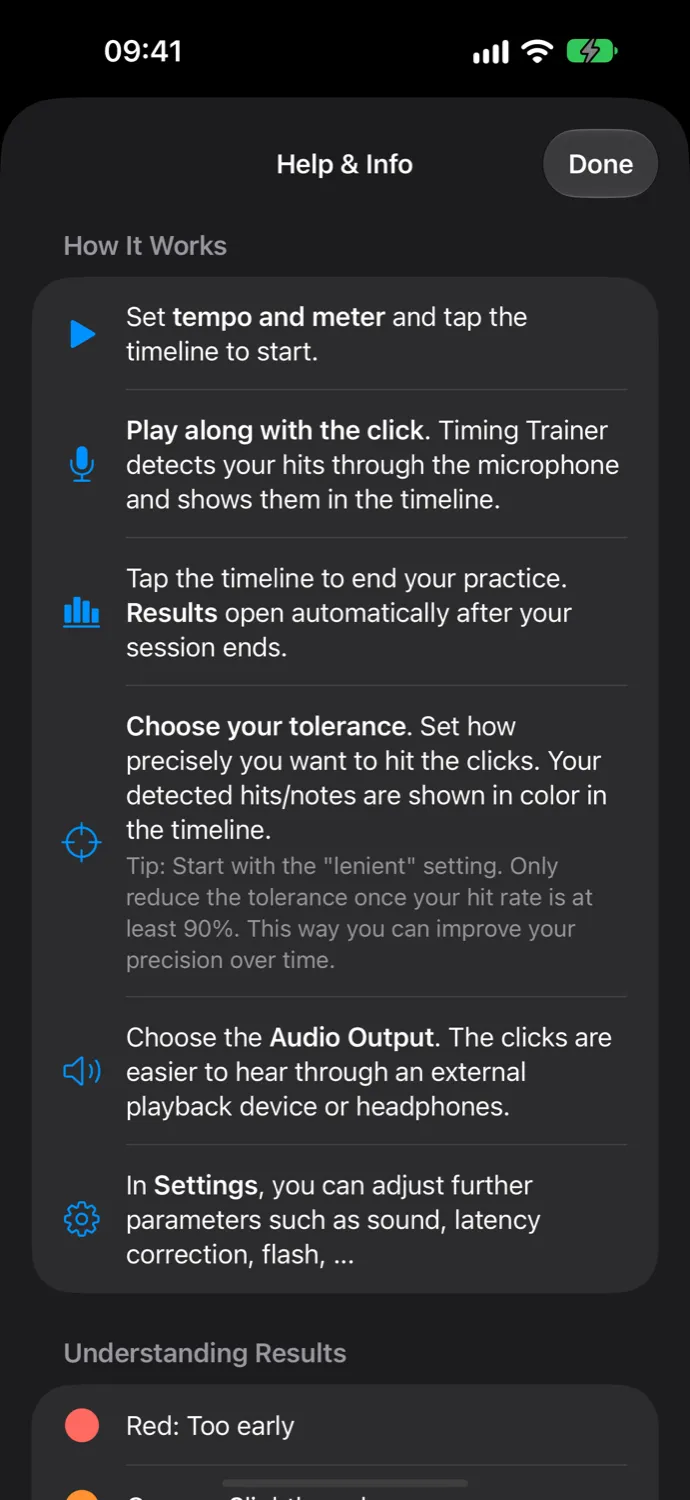
Set tempo and meter
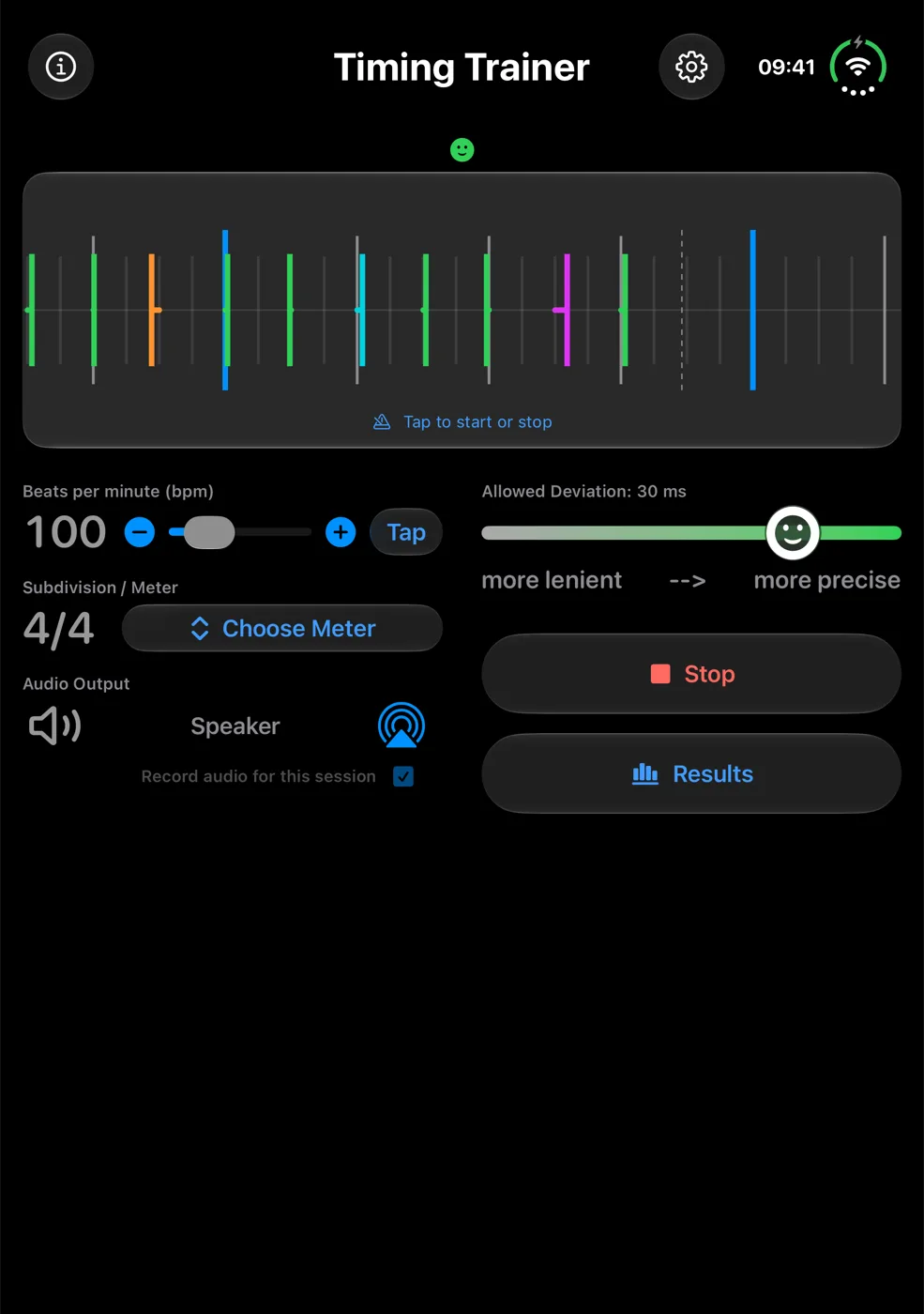
Choose a tempo from 20 to 200 bpm with the slider or the tap button, plus meter and subdivision. To start, simply tap the timeline.
Play along with the click
Play your instrument or just clap along. The app detects every note through the microphone and instantly draws it into the timeline in color.
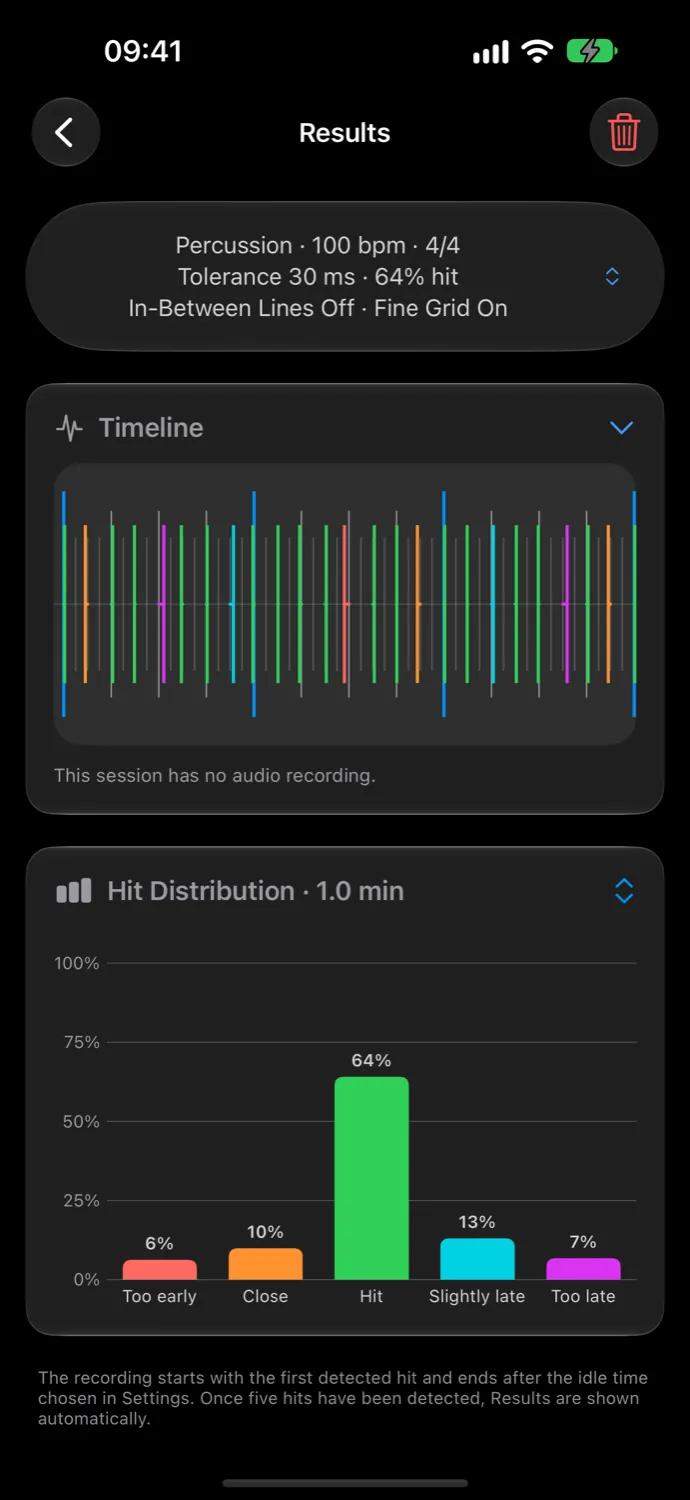
Check your results
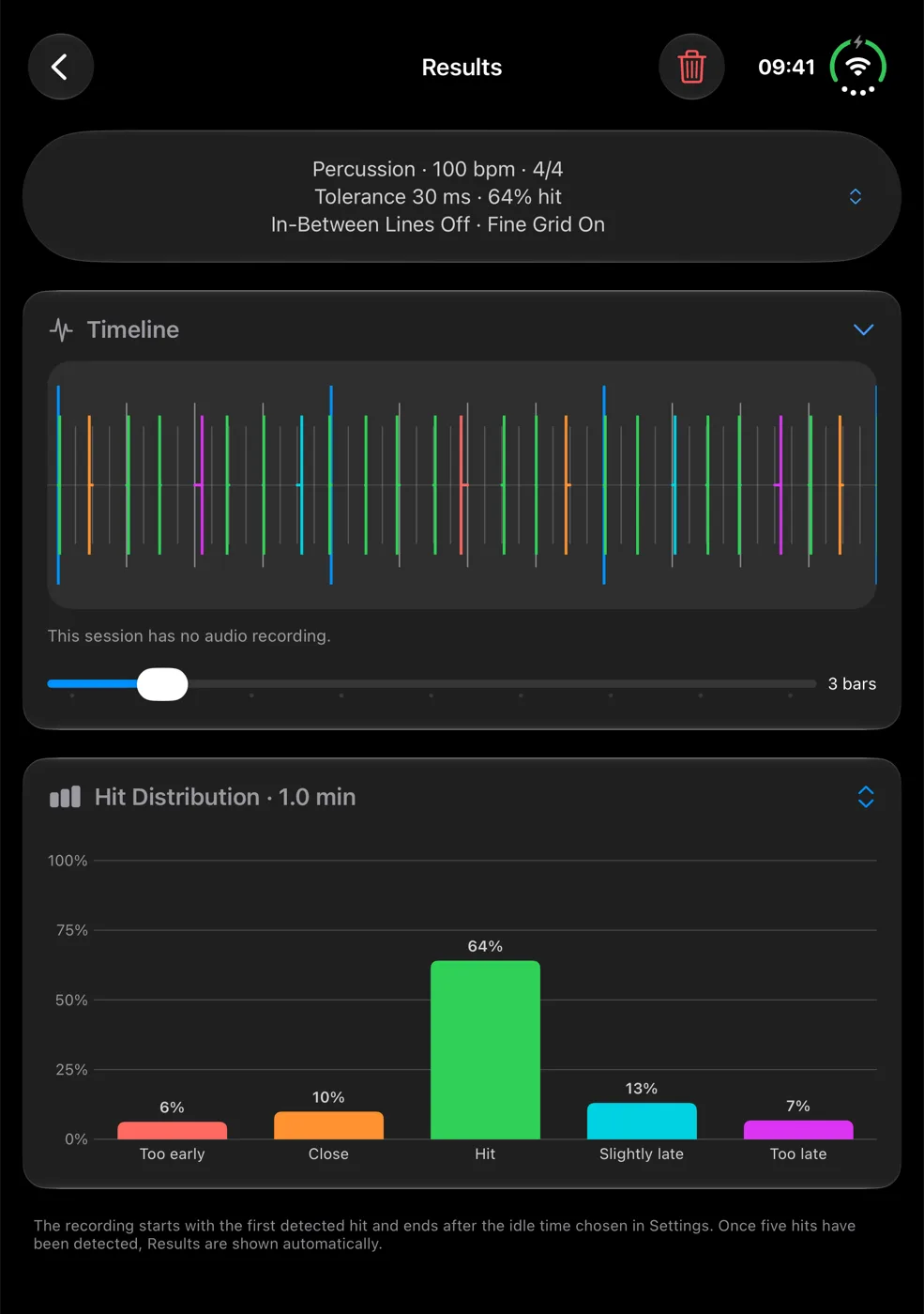
After practicing, you’ll see the whole timeline and your hit distribution: how much was early, spot on or late.
Everything you need to practice
Real-time detection
The microphone picks up strokes, notes and chords. The app’s own click is reliably filtered out.
Adjustable tolerance
From “more lenient” to “more precise”: decide how exact a hit has to be. Start generously and tighten it as you gain confidence.
Results for every session
Timeline, hit rate and distribution from “too early” to “too late”, shown as a bar or pie chart.
Audio recording for playback
If you like, the app records your session. Afterwards you can listen to your playing and see exactly where you were off.
Speaker, headphones, Bluetooth
Play the click through the iPhone, headphones, a Bluetooth speaker or AirPlay. The app measures and corrects the output delay automatically.
Made for your instrument
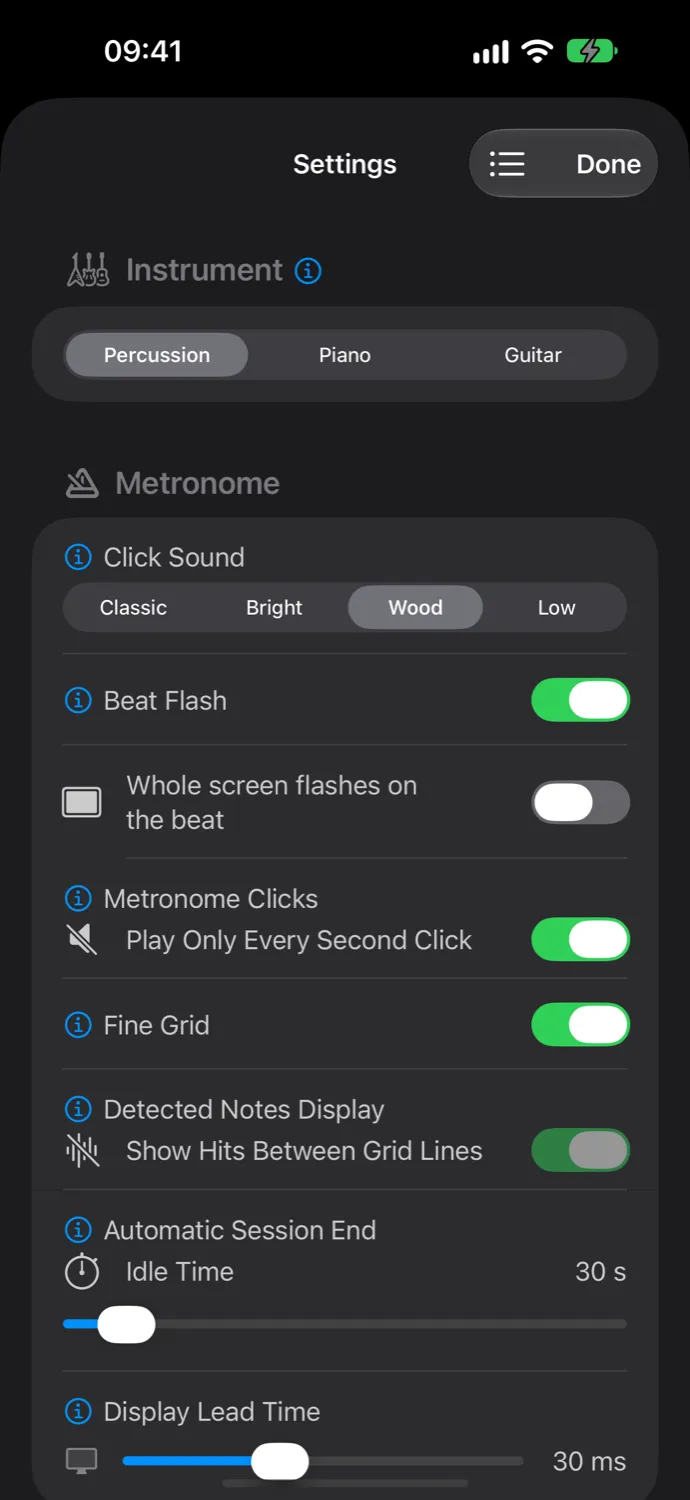
Dedicated detection profiles for percussion, piano and guitar, plus four click sounds from “Classic” to “Wood”.
Beat Flash and Fine Grid
See the beat, too – the whole screen can flash if you like. Subdivisions and a fine grid help with eighths, triplets and sixteenths.
Apple Watch and Siri
Start, stop and change the tempo right from your Apple Watch – or with Shortcuts and Siri.
Accessible
Supports VoiceOver and Dynamic Type. With “Differentiate Without Color”, arrows and line styles show whether you were early or late.
For everyone who wants to stay in time
Learners
Instead of “I think that was in time”, you see it in black and white – or rather, in green. Small progress becomes visible and keeps you motivated.
Music schools and teachers
Clear feedback for lessons and for practicing at home. The results show at a glance whether a student tends to rush or drag.
Musicians
A groove check before rehearsal or a gig: with tight tolerance and the fine grid, you can check your timing down to a few milliseconds.
Take a look
Right at home on large displays
On the foldable iPhone Duo, iPad and Mac, Timing Trainer uses all the space: timeline and controls sit side by side, and the results become larger and clearer.
Try it first, then buy once
No subscription, no ads. Your purchase works on all your devices with the same Apple Account.
Try it for free
- Metronome and live display without limits
- Save 20 sessions with results
- Each recording up to 40 seconds
One-time purchase, no subscription
- Save unlimited sessions
- Practice and record without a time limit
- Yours forever, on all your devices
Tips for accurate measurements
Ready for better timing?
Get Timing Trainer and find out how precisely you really play.